http://en.wikipedia.org/wiki/Ruby_On_Rails
http://blog.katipo.co.nz/?cat=8
http://arbor.ee.ntu.edu.tw/~wisely/planet/?q=aggregator/categories/5&page=4
http://lightyror.thegiive.net/index.html
http://www.ithome.com.tw/itadm/article.php?c=40695&s=1


星期六, 1月 06, 2007
ajax安全性
1.跨網域限制
2.跨網站指令碼
3.SQL/OS 命令植入攻擊
$sql = "SELECT * From table where number = ".$_GET['id'].";";
利用 mysql_wscape_string()、splite_escape_string()
4.密碼檔案管理
資料庫
MySQL
PHP $A = mysql_escape_string($_GET['A']);
Perl $A =~ s/'/"/g; or $A =~ s/\\/\\\/g;
PGSQL
PHP $A = psgl_escape_string($_GET['A']);
Perl $A =~ s/'/"/g; orf $A =~ /\\/\\\/g;
SQLite $A = splite_escape_string($_GET['A']);
系統
Linux
PHP $A = escapeshellarg($A); system($A);
Perl $A =~ s/'/\\'/; system("echo '$A'");
跨網站指令碼
PHP $A = htmlspecialchars($data);
Perl $A =~ s/
2.跨網站指令碼
3.SQL/OS 命令植入攻擊
$sql = "SELECT * From table where number = ".$_GET['id'].";";
利用 mysql_wscape_string()、splite_escape_string()
4.密碼檔案管理
資料庫
MySQL
PHP $A = mysql_escape_string($_GET['A']);
Perl $A =~ s/'/"/g; or $A =~ s/\\/\\\/g;
PGSQL
PHP $A = psgl_escape_string($_GET['A']);
Perl $A =~ s/'/"/g; orf $A =~ /\\/\\\/g;
SQLite $A = splite_escape_string($_GET['A']);
系統
Linux
PHP $A = escapeshellarg($A); system($A);
Perl $A =~ s/'/\\'/; system("echo '$A'");
跨網站指令碼
PHP $A = htmlspecialchars($data);
Perl $A =~ s/
星期五, 1月 05, 2007
fall 2005 CS456/556 class at Ohio University
http://oucsace.cs.ohiou.edu/~changliu/05Spotlight/2005-Spotlight-liuc.swf
http://ieeexplore.ieee.org/iel5/9740/30724/01423064.pdf?arnumber=1423064
http://ieeexplore.ieee.org/iel5/10731/33854/01612058.pdf
http://portal.acm.org/ft_gateway.cfm?id=1121473&type=pdf
http://portal.acm.org/ft_gateway.cfm?id=1062566&type=pdf
http://ieeexplore.ieee.org/iel5/9740/30724/01423064.pdf?arnumber=1423064
http://ieeexplore.ieee.org/iel5/10731/33854/01612058.pdf
http://portal.acm.org/ft_gateway.cfm?id=1121473&type=pdf
http://portal.acm.org/ft_gateway.cfm?id=1062566&type=pdf
星期四, 1月 04, 2007
星期一, 1月 01, 2007
ajax module
prototype.js
kwiki
http://en.wikipedia.org/wiki/Ajax_framework
http://en.wikipedia.org/wiki/Reverse_Ajax
http://www.xul.fr/en-xml-ajax.html
http://vyk1.spaces.live.com/Blog/cns!EBE3A761F939F926!1051.entry
http://www.webreference.com/programming/javascript/ncz/index.html
http://www.webreference.com/programming/javascript/ncz/column2/index.html
http://www.webreference.com/programming/javascript/ncz/column3/index.html
kwiki
http://en.wikipedia.org/wiki/Ajax_framework
http://en.wikipedia.org/wiki/Reverse_Ajax
http://www.xul.fr/en-xml-ajax.html
http://vyk1.spaces.live.com/Blog/cns!EBE3A761F939F926!1051.entry
http://www.webreference.com/programming/javascript/ncz/index.html
http://www.webreference.com/programming/javascript/ncz/column2/index.html
http://www.webreference.com/programming/javascript/ncz/column3/index.html
opensearch
http://www.opensearch.org/Home
http://en.wikipedia.org/wiki/OpenSearch
http://en.wikipedia.org/wiki/A9.com
SOAP
SRW
http://en.wikipedia.org/wiki/SRW
perl module
http://search.cpan.org/~miyagawa/WWW-OpenSearch-0.04/lib/WWW/OpenSearch.pm
http://en.wikipedia.org/wiki/Alexa_Internet
hack amazon
demo site: A9 http://opensearch.a9.com/
http://en.wikipedia.org/wiki/OpenSearch
http://en.wikipedia.org/wiki/A9.com
SOAP
SRW
http://en.wikipedia.org/wiki/SRW
perl module
http://search.cpan.org/~miyagawa/WWW-OpenSearch-0.04/lib/WWW/OpenSearch.pm
http://en.wikipedia.org/wiki/Alexa_Internet
hack amazon
demo site: A9 http://opensearch.a9.com/
星期日, 12月 31, 2006
xml
XML::Simple
ok
my $outstring="";
$outstring.="
print $outstring;
amazon online reader
while(($row = $sth->fetchrow_arrayref)){
$outstring.="[3]/ref=sib_dp_pt/002-7879865-0184864#reader-link\"> [3].01.THUMBZZZ.jpg\" alt=\"館藏封面圖片\">[0]\">Title:$row->[1]" . "
Author:" . $row->[2] . " "; # $outstring.="\n\n$row->[0] results";
}
$outstring.="";
print $outstring;
ok
my $outstring="";
$outstring.="
- ";
- ";
while(($row = $sth->fetchrow_arrayref)){
$outstring.="
# $outstring.="\n\n$row->[0] results";
}
$outstring.="
print $outstring;
amazon online reader
while(($row = $sth->fetchrow_arrayref)){
$outstring.="
[3].01.THUMBZZZ.jpg\" alt=\"館藏封面圖片\">[0]\">Title:$row->[1]" . "Author:" . $row->[2] . "
}
$outstring.="";
print $outstring;
星期六, 12月 30, 2006
星期五, 12月 29, 2006
星期三, 12月 27, 2006
目前工作現況
目前工作現況
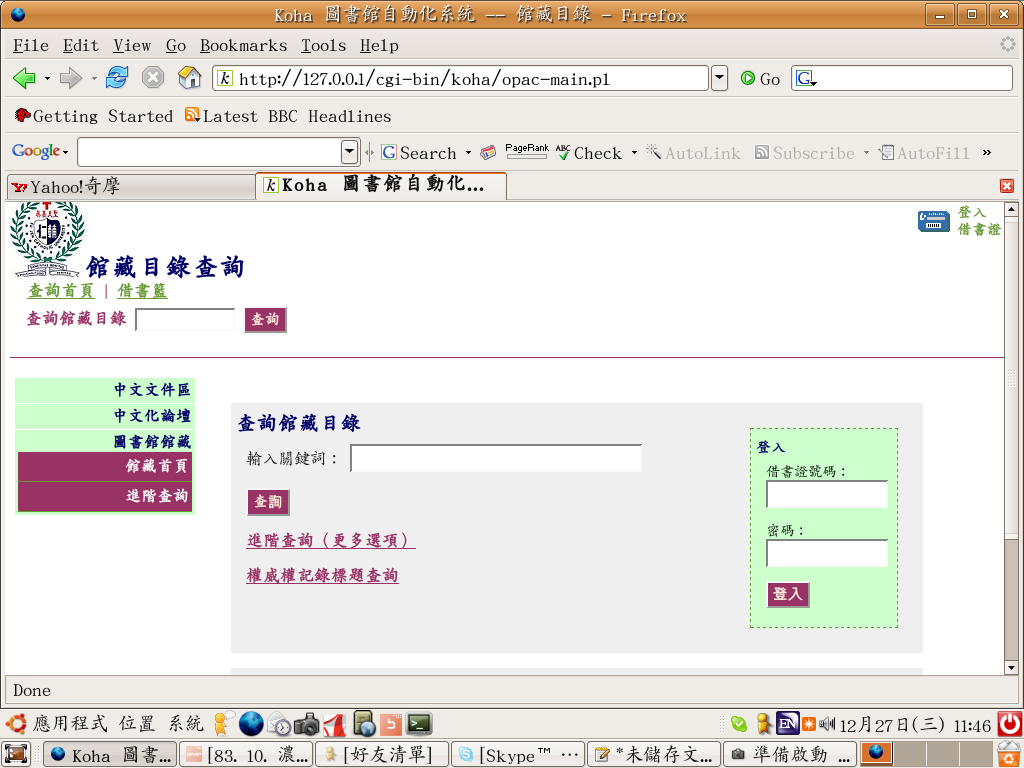
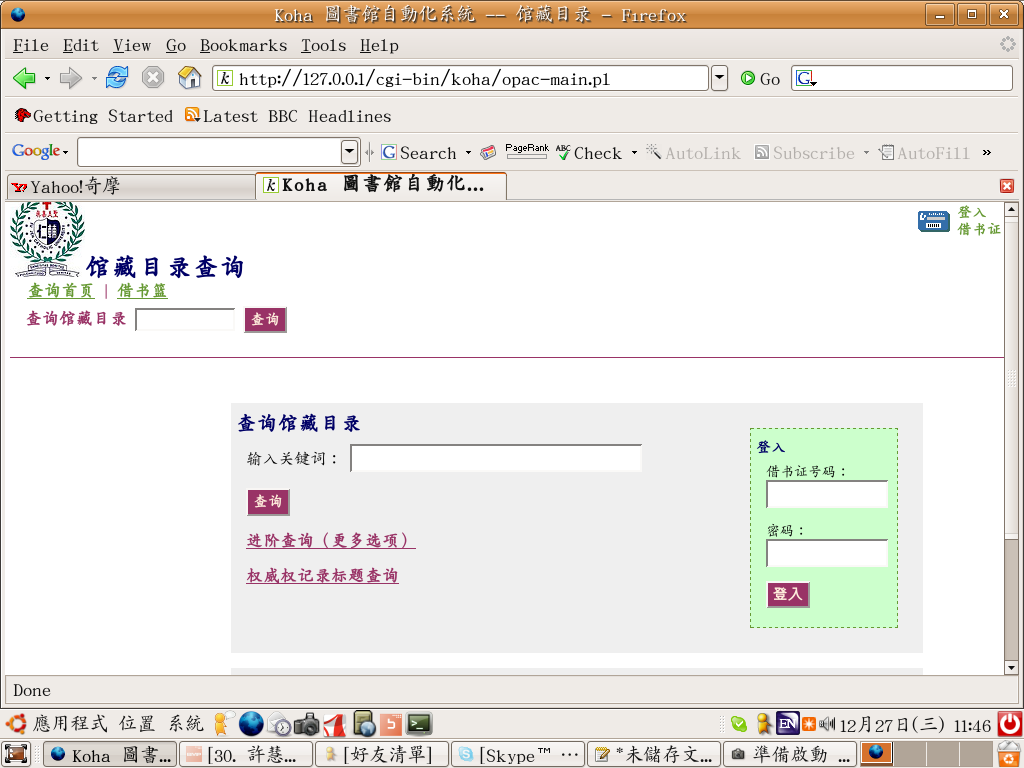
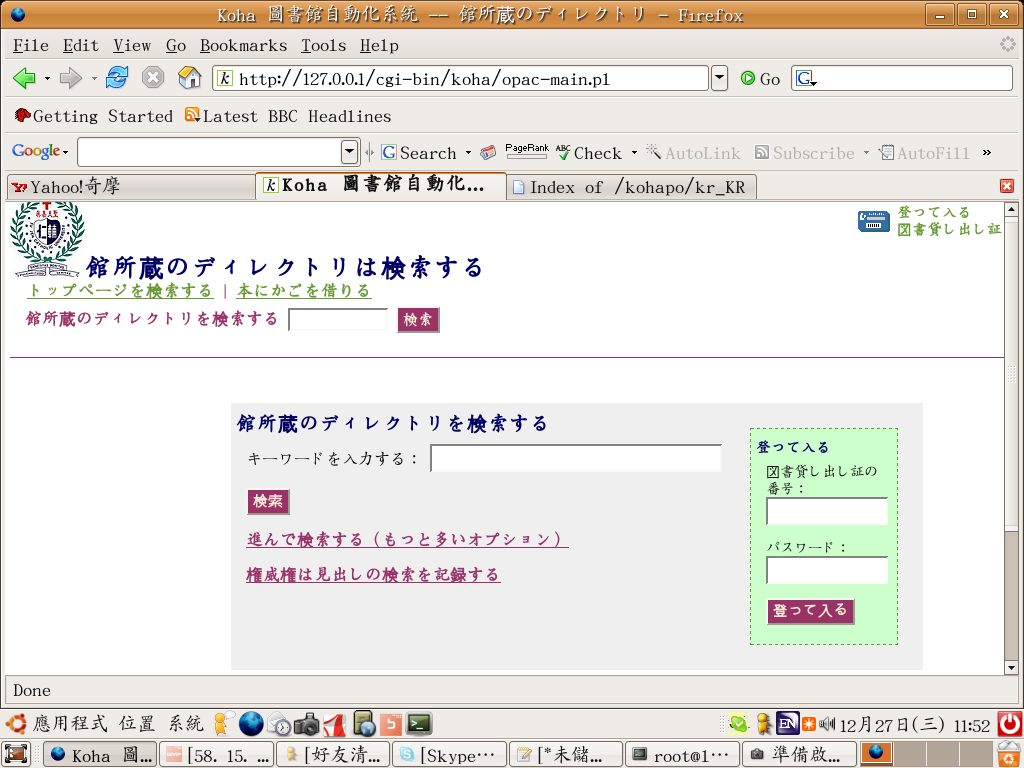
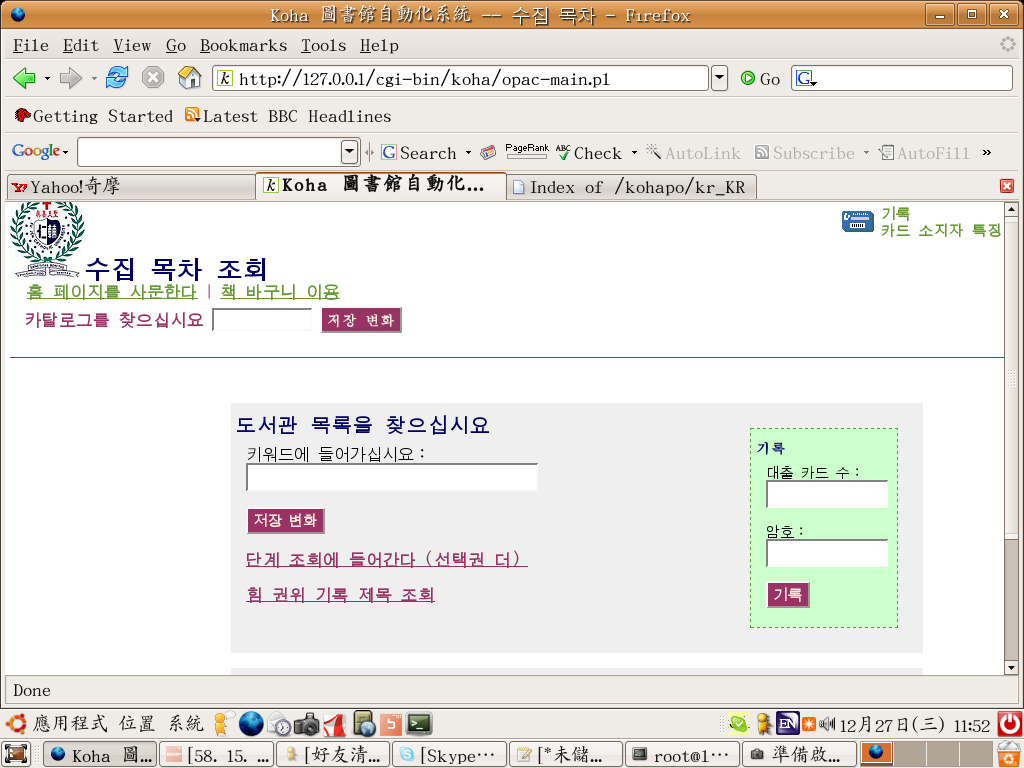
1.完成 npl opac zh_TW,zh_CN,jp_JP,kr_KR po
zh_TW http://farm1.static.flickr.com/160/334740307_03ce290dd8_o.png
zh_CN http://farm1.static.flickr.com/143/334740309_91defd939e_o.png
jp_JP http://farm1.static.flickr.com/161/334740311_fa95a5ede4_o.png
kr_KR http://farm1.static.flickr.com/139/334740312_c50652e0df_o.png
jp,kr 使用翻譯軟體處理
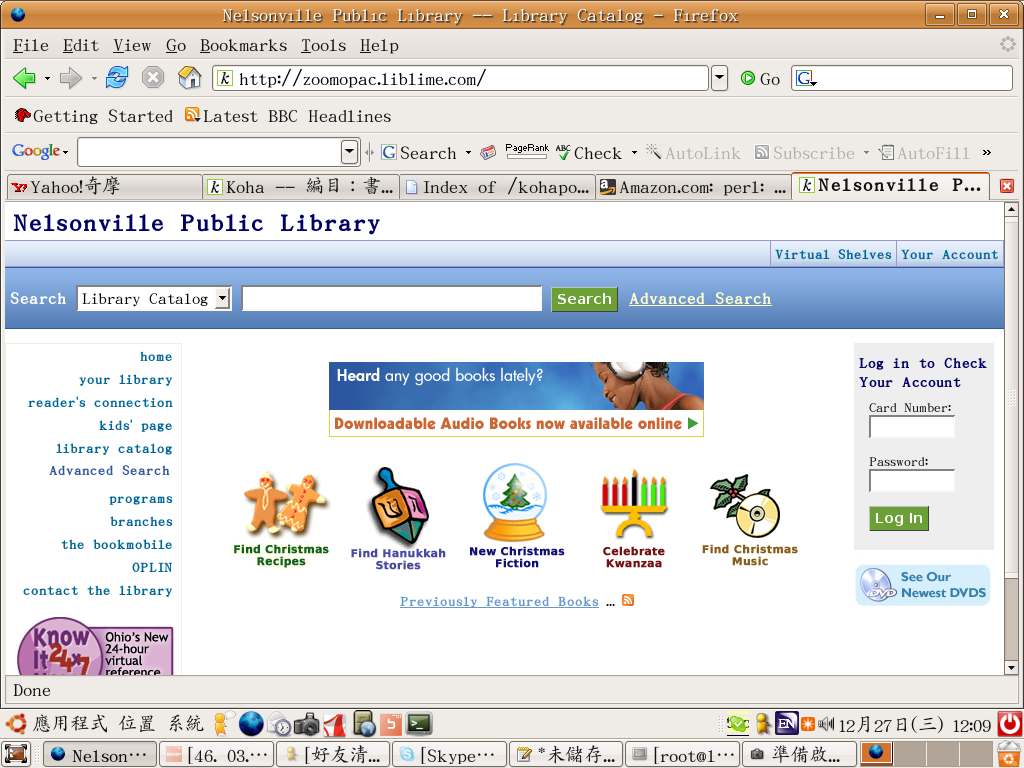
demo site:zh_TW http://lit184.lacc.fju.edu.tw
:zh_CN http://lit184.lacc.fju.edu.tw:11000
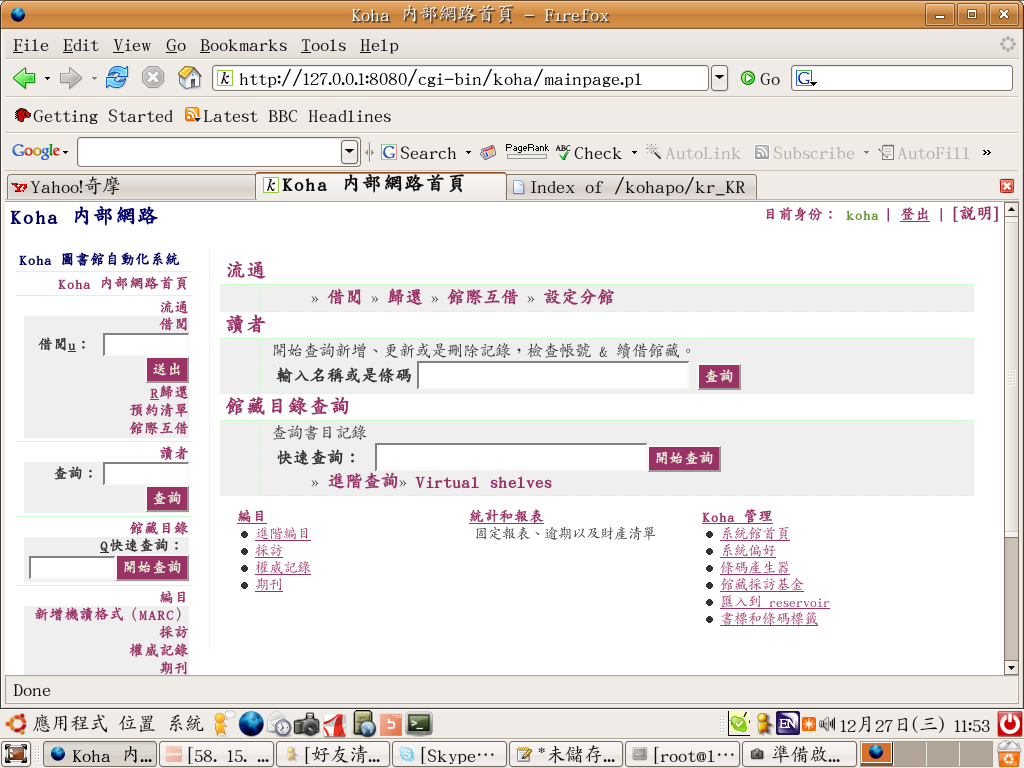
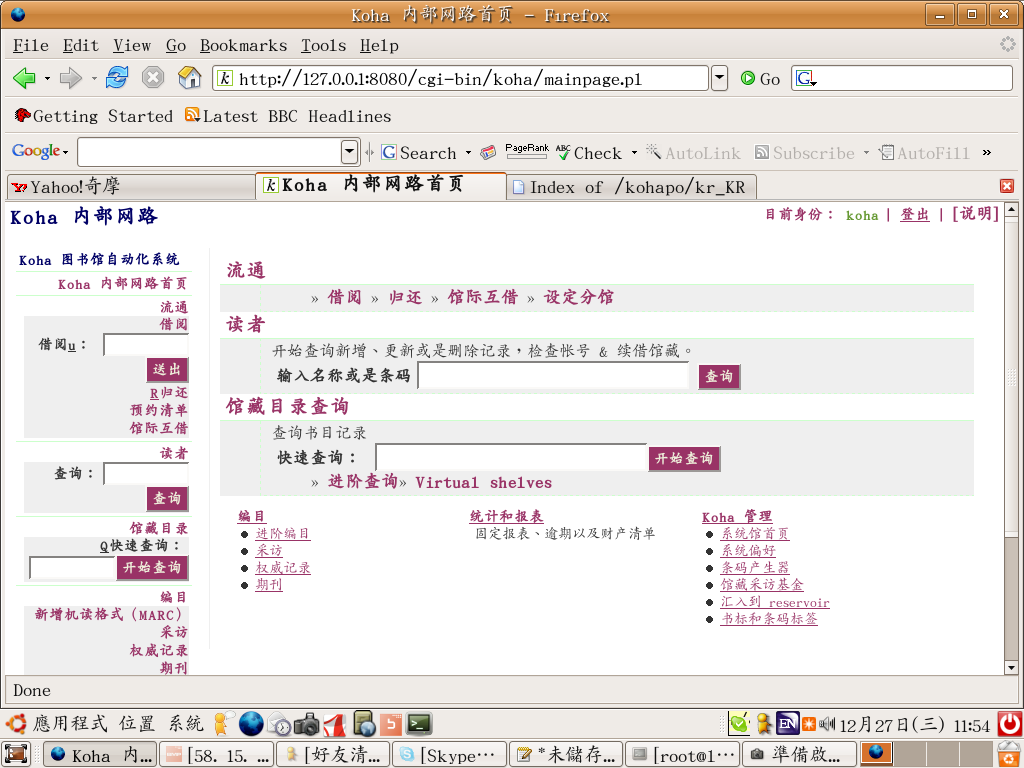
2.完成 npl intranet zh_TW,zh_CN po
zh_TW http://farm1.static.flickr.com/149/334740316_7ca93ed2f5_o.png
zh_CN http://farm1.static.flickr.com/126/334740314_a822afd265_o.png
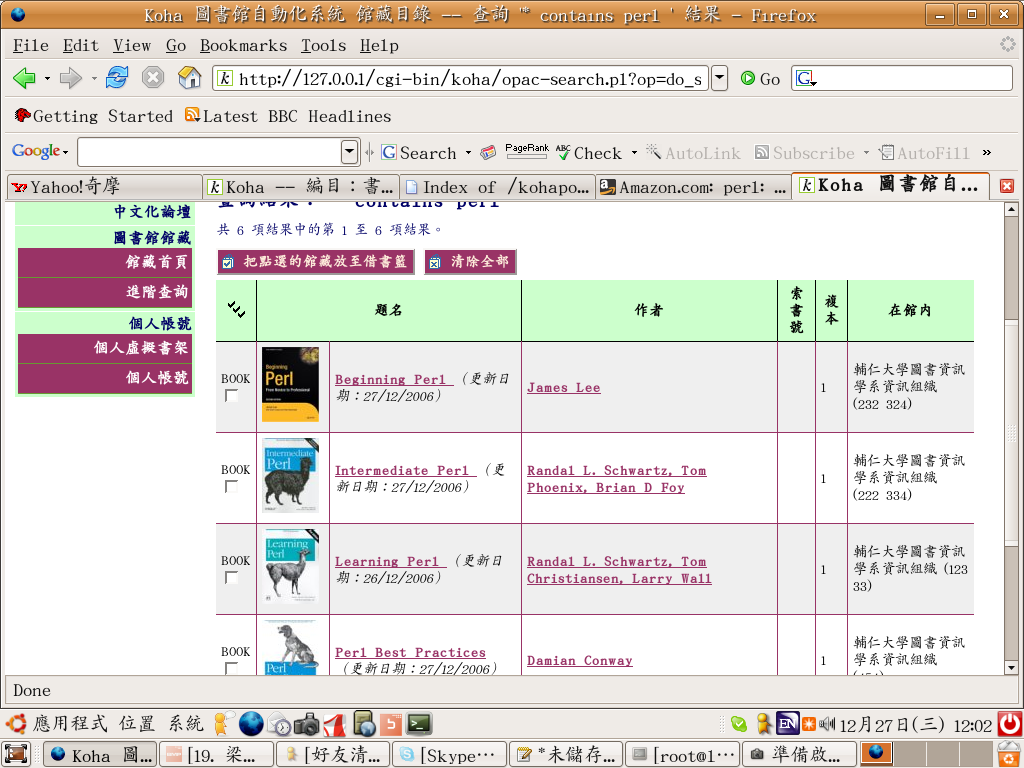
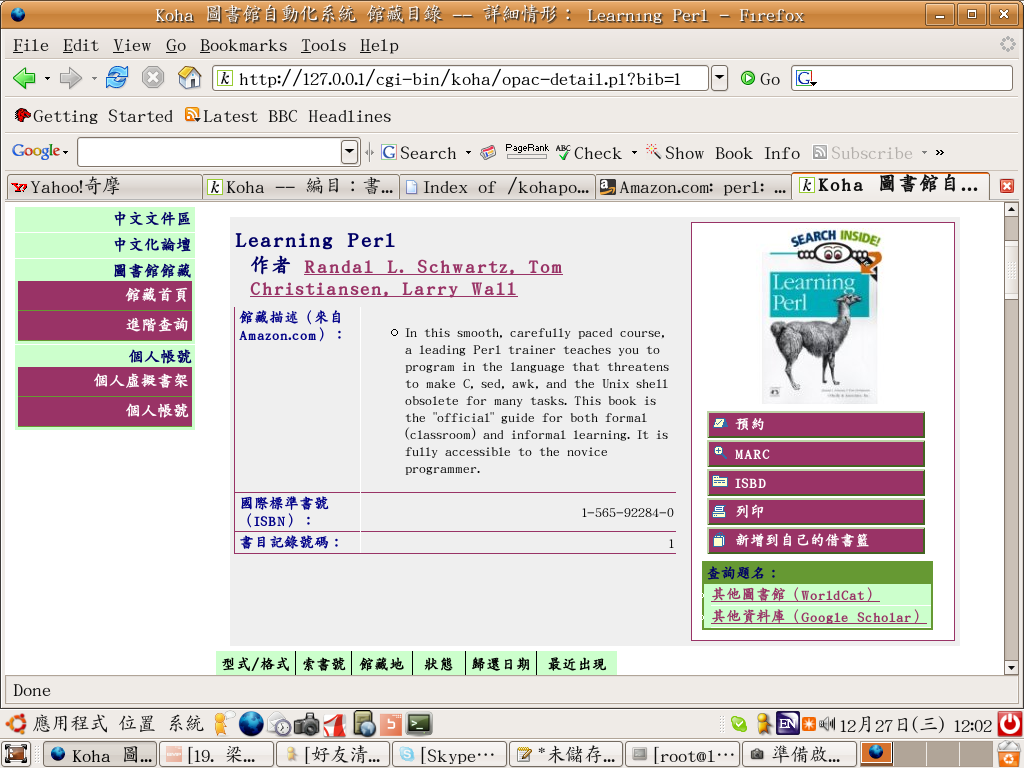
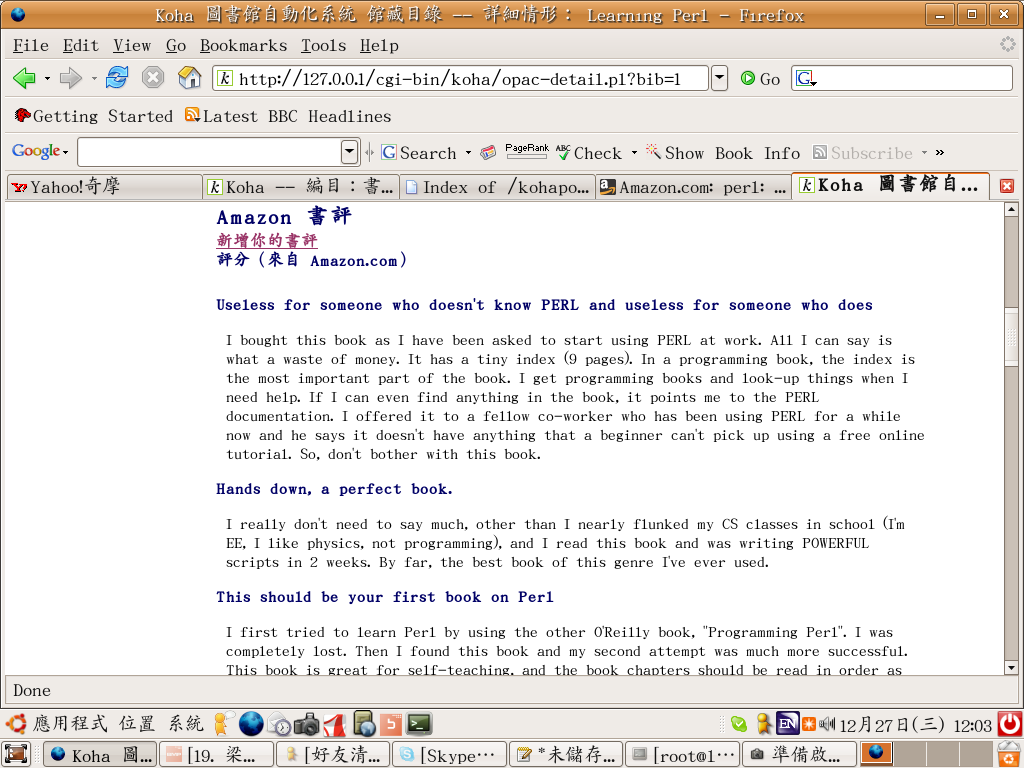
3.完成 Amazon review
Amazon review
http://farm1.static.flickr.com/155/334744524_3d18d363c0_o.png
http://farm1.static.flickr.com/128/334744530_5726672ea5_o.png
http://farm1.static.flickr.com/139/334744532_8f60596271_o.png
demo site: http://lit184.lacc.fju.edu.tw 書評因為網路問題無法取得,image 可看到
4.進行 ajax search
ajax php http://140.136.81.145:9999/ajax/
ajax perl http://140.136.81.145:10000/perl/ajax.pl
livesearch http://farm1.static.flickr.com/123/334744534_da6bdcc846_o.png
testlivesearch http://farm1.static.flickr.com/142/334744536_3b19025807_o.png
thomas & me test livesearch currently.
ref1 http://koha.wikispaces.com/kohadebug#7
ref2 zebra http://wiki.koha.org/doku.php?id=zebraprogrammerguide
ref2 zebra http://www.indexdata.dk/zebra/
ref3 zebea http://www.kohadocs.org/Installing_Zebra_plugin.html
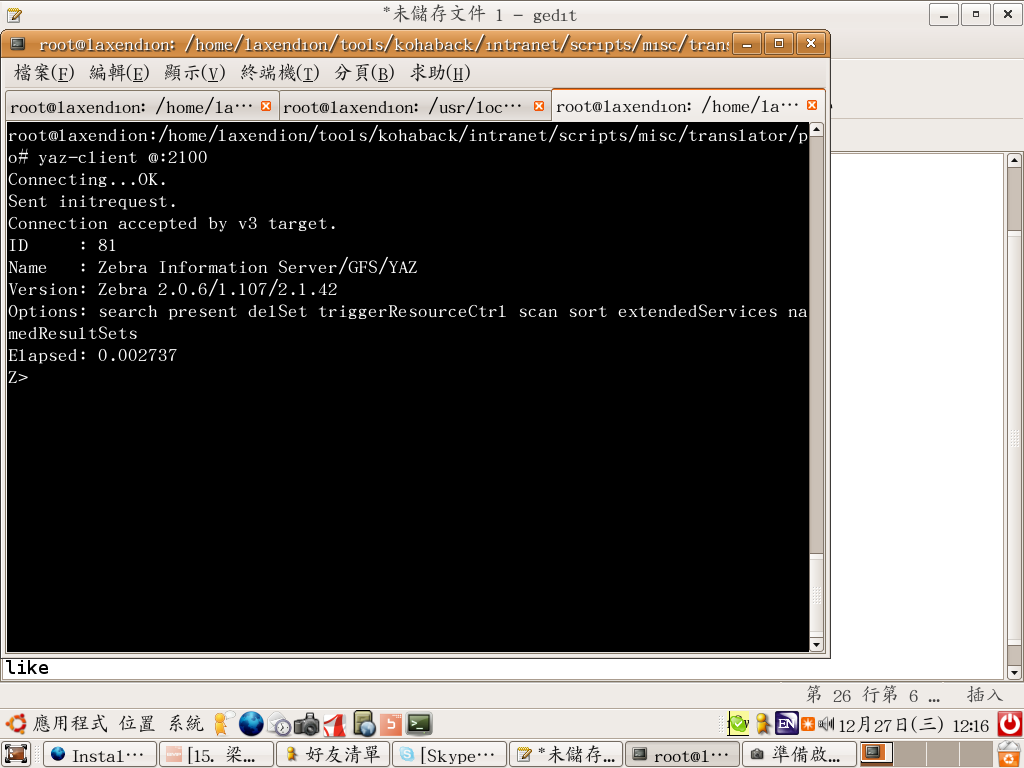
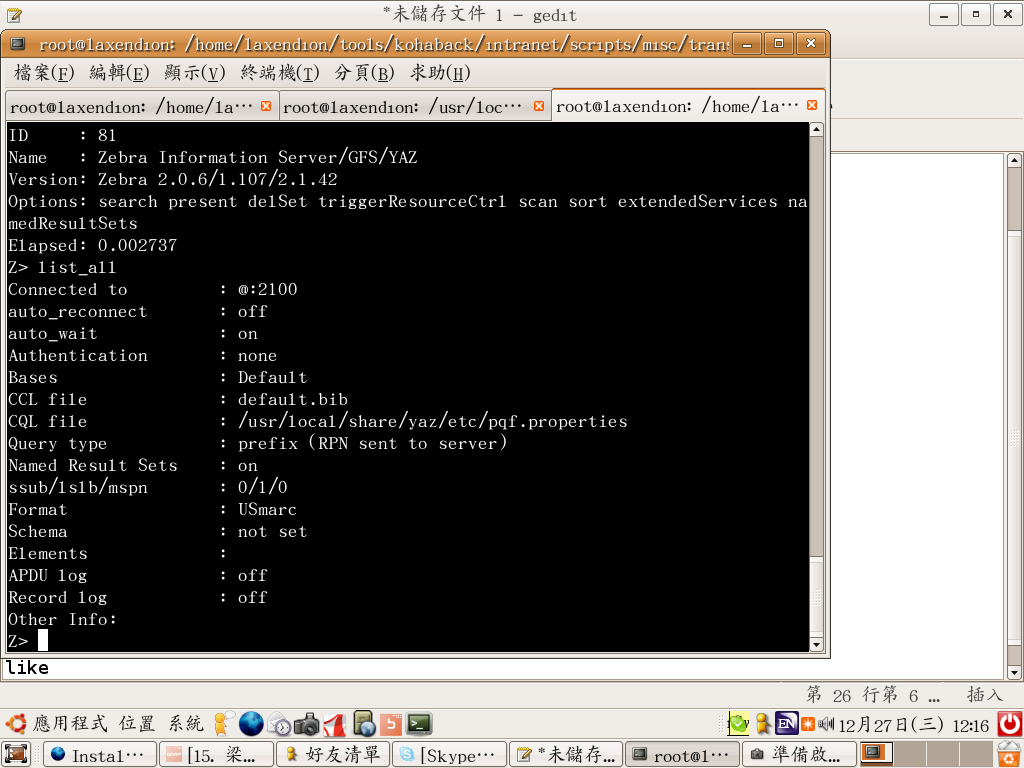
目前 koha 可採用 zebra server query catalog(Z3950 server)
like 1 http://farm1.static.flickr.com/161/334744538_6265736340_o.png
like 2 http://farm1.static.flickr.com/126/334747872_a4904c351d_o.png
目前支援 MARC21,UNIMARC,email, XML, MARC..
6.Koha 支援 utf8
http://dev.mysql.com/doc/refman/4.1/en/localization.html
1.完成 npl opac zh_TW,zh_CN,jp_JP,kr_KR po
zh_TW http://farm1.static.flickr.com/160/334740307_03ce290dd8_o.png
zh_CN http://farm1.static.flickr.com/143/334740309_91defd939e_o.png
jp_JP http://farm1.static.flickr.com/161/334740311_fa95a5ede4_o.png
kr_KR http://farm1.static.flickr.com/139/334740312_c50652e0df_o.png
jp,kr 使用翻譯軟體處理
demo site:zh_TW http://lit184.lacc.fju.edu.tw
:zh_CN http://lit184.lacc.fju.edu.tw:11000
2.完成 npl intranet zh_TW,zh_CN po
zh_TW http://farm1.static.flickr.com/149/334740316_7ca93ed2f5_o.png
zh_CN http://farm1.static.flickr.com/126/334740314_a822afd265_o.png
3.完成 Amazon review
Amazon review
http://farm1.static.flickr.com/155/334744524_3d18d363c0_o.png
http://farm1.static.flickr.com/128/334744530_5726672ea5_o.png
http://farm1.static.flickr.com/139/334744532_8f60596271_o.png
demo site: http://lit184.lacc.fju.edu.tw 書評因為網路問題無法取得,image 可看到
4.進行 ajax search
ajax php http://140.136.81.145:9999/ajax/
ajax perl http://140.136.81.145:10000/perl/ajax.pl
livesearch http://farm1.static.flickr.com/123/334744534_da6bdcc846_o.png
testlivesearch http://farm1.static.flickr.com/142/334744536_3b19025807_o.png
thomas & me test livesearch currently.
ref1 http://koha.wikispaces.com/kohadebug#7
ref2 zebra http://wiki.koha.org/doku.php?id=zebraprogrammerguide
ref2 zebra http://www.indexdata.dk/zebra/
ref3 zebea http://www.kohadocs.org/Installing_Zebra_plugin.html
目前 koha 可採用 zebra server query catalog(Z3950 server)
like 1 http://farm1.static.flickr.com/161/334744538_6265736340_o.png
like 2 http://farm1.static.flickr.com/126/334747872_a4904c351d_o.png
目前支援 MARC21,UNIMARC,email, XML, MARC..
6.Koha 支援 utf8
http://dev.mysql.com/doc/refman/4.1/en/localization.html
perl -V
perl -V
Compiled at Dec 16 2005 07:48:39
@INC:
/etc/perl
/usr/local/lib/perl/5.8.7
/usr/local/share/perl/5.8.7
/usr/lib/perl5
/usr/share/perl5
/usr/lib/perl/5.8
/usr/share/perl/5.8
/usr/local/lib/site_perl
.
perldoc perllocal
#!/usr/local/bin/perl
use ExtUtils::Installed;
my $instmod = ExtUtils::Installed->new();
foreach my $module ($instmod->modules()) {
my $version = $instmod->version($module) || "???";
print "$module -- $version\n";
}
* pmpath - show the module's full path
* pmvers - get a module version number
* pmdesc - get a module description
* pmall - get all installed modules pmdesc descriptions
* pmdirs - print the perl module path, newline separated
* plxload - show what files a given program loads at compile time
* pmload - show what files a given module loads at compile time
* pmexp - show a module's exports
* pminst - find what's installed
* pmeth - list a class's methods, recursively
* pmls - long list the module path
* pmcat - cat the module source through your pager
* pman - show the module's pod docs
* pmfunc - show a function source code from a module
* podgrep - grep in pods of a file
* pfcat - show pods from perlfunc
* podtoc - list table of contents of a podpage
* podpath - show full path of pod file
* pods - list all standard pods and module pods
* sitepods - list only pods in site_perl directories
* basepods - list only normal "man-page" style pods
* faqpods - list only faq pods
* modpods - all module pods, including site_perl ones
* stdpods - list standard pods, not site_perl ones
Compiled at Dec 16 2005 07:48:39
@INC:
/etc/perl
/usr/local/lib/perl/5.8.7
/usr/local/share/perl/5.8.7
/usr/lib/perl5
/usr/share/perl5
/usr/lib/perl/5.8
/usr/share/perl/5.8
/usr/local/lib/site_perl
.
perldoc perllocal
#!/usr/local/bin/perl
use ExtUtils::Installed;
my $instmod = ExtUtils::Installed->new();
foreach my $module ($instmod->modules()) {
my $version = $instmod->version($module) || "???";
print "$module -- $version\n";
}
* pmpath - show the module's full path
* pmvers - get a module version number
* pmdesc - get a module description
* pmall - get all installed modules pmdesc descriptions
* pmdirs - print the perl module path, newline separated
* plxload - show what files a given program loads at compile time
* pmload - show what files a given module loads at compile time
* pmexp - show a module's exports
* pminst - find what's installed
* pmeth - list a class's methods, recursively
* pmls - long list the module path
* pmcat - cat the module source through your pager
* pman - show the module's pod docs
* pmfunc - show a function source code from a module
* podgrep - grep in pods of a file
* pfcat - show pods from perlfunc
* podtoc - list table of contents of a podpage
* podpath - show full path of pod file
* pods - list all standard pods and module pods
* sitepods - list only pods in site_perl directories
* basepods - list only normal "man-page" style pods
* faqpods - list only faq pods
* modpods - all module pods, including site_perl ones
* stdpods - list standard pods, not site_perl ones
星期一, 12月 25, 2006
mysql4tomysql5 (UTF8)
from mysql
http://dev.mysql.com/doc/refman/4.1/en/localization.html
from thomas
mysql4tomysql5 (UTF8)
以下是我剛好有需要 mysql4 dump出來的資料 import到 mysql5 的過程
先備份資料庫
mysqldump -u root -p --default-character-set=latin1 Koha >output.sql
piconv -f utf8 -t big5 output.sql > big5.sql
piconv -f big5 -t utf8 big5.sql >utf8.sql
升級mysql
apt-get install mysql-server-5.0 mysql-common mysql-client-5.0
MySQL的my.cnf設定檔內要加入以下設定
[client]
default-character-set=utf8
[mysqld]
init_connect= 'SET NAMES utf8'
default-character-set=utf8
default-collation=utf8_general_ci
建立Koha資料庫
CREATE DATABASE `Koha` DEFAULT CHARACTER SET utf8 COLLATE utf8_general_ci;
修改sql檔,在最前面加上
SET NAMES utf8;
SET CHARACTER_SET_CLIENT=utf8;
SET CHARACTER_SET_RESULTS=utf8;
再來把每個資料表後面的
TYPE=MyISAM;
改成
ENGINE=MyISAM DEFAULT CHARSET=utf8;
都改好後就可以把他import進去了
#mysql -u帳號 -p 資料庫 < utf8.sql
可參考http://blog.leolo.cc/2006/02/06/134/
以上完成之後用phpmyadmin已經可以看到中文!
但目前koha這邊還沒有修改程式成適用utf8
所以my.cnf 加入了 init_connect= 'SET NAMES utf8'這樣會影響其他舊有的程式
此外
KOHA 在 mysql5 使用 left join 的語法似乎有問題
無法辨識LEFT JOIN table1 ON TABLE1.column=TABLE2.column 造成error
[Tue Jul 04 19:10:35 2006] [error] [client 127.0.0.1] DBD::mysql::st fetchrow failed: fetch() without execute() at /opt/koha/intranet/modules/C4/SearchMarc.pm line 334., referer: http://127.0.0.1:8080/cgi-bin/koha/members/member.pl
原因是
SELECT biblio.biblionumber as bn,biblioitems.*,biblio.*, marc_biblio.bibid,itemtypes.notforloan,itemtypes.description
FROM biblio, marc_biblio
LEFT JOIN biblioitems on biblio.biblionumber = biblioitems.biblionumber
LEFT JOIN itemtypes on itemtypes.itemtype = biblioitems.itemtype
WHERE biblio.biblionumber = marc_biblio.biblionumber AND bibid = ?
無法辨識 biblio.biblionumber 但是改成 'biblio.biblionumber' 就可以了!
但是用到left join 或是類似的join有好幾隻程式~~這樣有需要改嗎???
且應該還有更多mysql5 utf8的問題有帶發掘與解決
ps
已經解決尚未測試FROM Kochin Chang
Dear Thomas,
I just installed Chinese Koha on Ubuntu 6.06 which comes with MySQL
5.0.x. Your earlier message about your experiences with installing Koha
with MySQL 5.0.x helped a lot. In your message you mentioned
但目前koha這邊還沒有修改程式成適用utf8
所以my.cnf 加入了 init_connect= 'SET NAMES
utf8'這樣會影響其他舊有的程式
To get around this problem, I modified intranet/modules/C4/Context.pm
so that the procedure sub dbh now becomes
sub dbh
{
my $self = shift;
my $sth;
if (defined($context->{"dbh"})) {
$sth=$context->{"dbh"}-
>prepare("select 1");
return $context->{"dbh"} if (defined($sth->execute));
}
# No database handle or it died . Create one.
$context->{"dbh"} = &_new_dbh();
# Make sure UTF-8 charset is used for connection and results.
if (defined($context->{'dbh'})) {
$sth = $context->{'dbh'}->prepare('SET NAMES utf8');
$sth->execute;
}
return $context->{"dbh"};
}
The idea is to send the 'SET NAMES utf8' string over the newly created
connection to MySQL server. With this you don't have to put 'SET NAMES
utf8' in the my.cnf. I have tested my modification on my Koha
installation. So far it works like a charm.
Regards,
Kochin Chang
http://dev.mysql.com/doc/refman/4.1/en/localization.html
from thomas
mysql4tomysql5 (UTF8)
以下是我剛好有需要 mysql4 dump出來的資料 import到 mysql5 的過程
先備份資料庫
mysqldump -u root -p --default-character-set=latin1 Koha >output.sql
piconv -f utf8 -t big5 output.sql > big5.sql
piconv -f big5 -t utf8 big5.sql >utf8.sql
升級mysql
apt-get install mysql-server-5.0 mysql-common mysql-client-5.0
MySQL的my.cnf設定檔內要加入以下設定
[client]
default-character-set=utf8
[mysqld]
init_connect= 'SET NAMES utf8'
default-character-set=utf8
default-collation=utf8_general_ci
建立Koha資料庫
CREATE DATABASE `Koha` DEFAULT CHARACTER SET utf8 COLLATE utf8_general_ci;
修改sql檔,在最前面加上
SET NAMES utf8;
SET CHARACTER_SET_CLIENT=utf8;
SET CHARACTER_SET_RESULTS=utf8;
再來把每個資料表後面的
TYPE=MyISAM;
改成
ENGINE=MyISAM DEFAULT CHARSET=utf8;
都改好後就可以把他import進去了
#mysql -u帳號 -p 資料庫 < utf8.sql
可參考http://blog.leolo.cc/2006/02/06/134/
以上完成之後用phpmyadmin已經可以看到中文!
但目前koha這邊還沒有修改程式成適用utf8
所以my.cnf 加入了 init_connect= 'SET NAMES utf8'這樣會影響其他舊有的程式
此外
KOHA 在 mysql5 使用 left join 的語法似乎有問題
無法辨識LEFT JOIN table1 ON TABLE1.column=TABLE2.column 造成error
[Tue Jul 04 19:10:35 2006] [error] [client 127.0.0.1] DBD::mysql::st fetchrow failed: fetch() without execute() at /opt/koha/intranet/modules/C4/SearchMarc.pm line 334., referer: http://127.0.0.1:8080/cgi-bin/koha/members/member.pl
原因是
SELECT biblio.biblionumber as bn,biblioitems.*,biblio.*, marc_biblio.bibid,itemtypes.notforloan,itemtypes.description
FROM biblio, marc_biblio
LEFT JOIN biblioitems on biblio.biblionumber = biblioitems.biblionumber
LEFT JOIN itemtypes on itemtypes.itemtype = biblioitems.itemtype
WHERE biblio.biblionumber = marc_biblio.biblionumber AND bibid = ?
無法辨識 biblio.biblionumber 但是改成 'biblio.biblionumber' 就可以了!
但是用到left join 或是類似的join有好幾隻程式~~這樣有需要改嗎???
且應該還有更多mysql5 utf8的問題有帶發掘與解決
ps
已經解決尚未測試FROM Kochin Chang
Dear Thomas,
I just installed Chinese Koha on Ubuntu 6.06 which comes with MySQL
5.0.x. Your earlier message about your experiences with installing Koha
with MySQL 5.0.x helped a lot. In your message you mentioned
但目前koha這邊還沒有修改程式成適用utf8
所以my.cnf 加入了 init_connect= 'SET NAMES
utf8'這樣會影響其他舊有的程式
To get around this problem, I modified intranet/modules/C4/Context.pm
so that the procedure sub dbh now becomes
sub dbh
{
my $self = shift;
my $sth;
if (defined($context->{"dbh"})) {
$sth=$context->{"dbh"}-
>prepare("select 1");
return $context->{"dbh"} if (defined($sth->execute));
}
# No database handle or it died . Create one.
$context->{"dbh"} = &_new_dbh();
# Make sure UTF-8 charset is used for connection and results.
if (defined($context->{'dbh'})) {
$sth = $context->{'dbh'}->prepare('SET NAMES utf8');
$sth->execute;
}
return $context->{"dbh"};
}
The idea is to send the 'SET NAMES utf8' string over the newly created
connection to MySQL server. With this you don't have to put 'SET NAMES
utf8' in the my.cnf. I have tested my modification on my Koha
installation. So far it works like a charm.
Regards,
Kochin Chang
星期日, 12月 24, 2006
星期五, 12月 22, 2006
ubuntu 6.06.1
apt
apt-get install mysql-client-4.1 mysql-server-4.1 php4 libapache2-mod-auth-mysql php4-mysql phpmyadmin libxml2-dev libssl-dev libyaz libyaz-dev yaz yaz-doc libwrap-dev libdate-manip-perl libhtml-template-perl libmail-sendmail-perl make gcc lynx wget ncftp unzip libmysqlclient14
libmysqlclient14-dev
cpan
cpan -i Bundle::KohaSupport Unicode::String Encode::HanExtra XML::SAX Class::Accessor Business::ISBN Net::LDAP PDF::API2 MARC::Record MARC::File::XML PDF::API2 Compress::Zlib PDF::Reuse PDF::Report PDF::Create PDF::Labels Acme::Comment GD::Barcode Data::Random
HTML::Template::Pro XML::Parser XML::SAX::Expat XML::LibXML XML::Simple PDF::Reuse::Barcode MARC::Crosswalk::DublinCore LWP::Simple Date::Calc GD::Barcode
apt-get install libxslt1-dev libgcrypt11-dev libgpg-error-dev
http://ftp.indexdata.dk/pub/yaz/ubuntu/DrapperDrake/
Net::Z3950::ZOOM
http://www.nabble.com/Koha-f14380.html
speedy
cpan -i CGI::SpeedyCGI
apt-get install speedy-cgi-perl
apt-get install mysql-client-4.1 mysql-server-4.1 php4 libapache2-mod-auth-mysql php4-mysql phpmyadmin libxml2-dev libssl-dev libyaz libyaz-dev yaz yaz-doc libwrap-dev libdate-manip-perl libhtml-template-perl libmail-sendmail-perl make gcc lynx wget ncftp unzip libmysqlclient14
libmysqlclient14-dev
cpan
cpan -i Bundle::KohaSupport Unicode::String Encode::HanExtra XML::SAX Class::Accessor Business::ISBN Net::LDAP PDF::API2 MARC::Record MARC::File::XML PDF::API2 Compress::Zlib PDF::Reuse PDF::Report PDF::Create PDF::Labels Acme::Comment GD::Barcode Data::Random
HTML::Template::Pro XML::Parser XML::SAX::Expat XML::LibXML XML::Simple PDF::Reuse::Barcode MARC::Crosswalk::DublinCore LWP::Simple Date::Calc GD::Barcode
apt-get install libxslt1-dev libgcrypt11-dev libgpg-error-dev
http://ftp.indexdata.dk/pub/yaz/ubuntu/DrapperDrake/
Net::Z3950::ZOOM
http://www.nabble.com/Koha-f14380.html
speedy
cpan -i CGI::SpeedyCGI
apt-get install speedy-cgi-perl
星期三, 12月 20, 2006
星期三, 12月 13, 2006
星期一, 12月 11, 2006
星期日, 12月 10, 2006
test note
modify koha 2.2.7 & koha rel_2_2
add File::Find (perl 5.8.8)
file.pl
#!/usr/bin/perl
use File::Find;
find(\&wanted,'/usr/local/koha/opac/cgi-bin');
sub wanted{
if(/.pl/){
print $File::Find::name . "\n";
system("/bin/sed -f /usr/local/koha/opac/cgi-bin/insert.text $File::Find::name > $File::Find::name.t");
system("/usr/bin/rm -rf $File::Find::name");
# system("/usr/bin/rename '\s/.t$//' *.t");
}
# system("/usr/bin/rename '\s/$File::Find::name$//' *.t");
}
insert.text
/#!\/usr\/bin\/perl/c#!/usr/bin/perl use lib '/usr/local/koha/intranet/modules';
chmod -R 0755 tmp
chown -R apache owner
add File::Find (perl 5.8.8)
file.pl
#!/usr/bin/perl
use File::Find;
find(\&wanted,'/usr/local/koha/opac/cgi-bin');
sub wanted{
if(/.pl/){
print $File::Find::name . "\n";
system("/bin/sed -f /usr/local/koha/opac/cgi-bin/insert.text $File::Find::name > $File::Find::name.t");
system("/usr/bin/rm -rf $File::Find::name");
# system("/usr/bin/rename '\s/.t$//' *.t");
}
# system("/usr/bin/rename '\s/$File::Find::name$//' *.t");
}
insert.text
/#!\/usr\/bin\/perl/c#!/usr/bin/perl use lib '/usr/local/koha/intranet/modules';
chmod -R 0755 tmp
chown -R apache owner
星期四, 12月 07, 2006
koha 2.2.7
koha 2.2.7
# mark orgin then add two lines
SetEnvIf Request_URI "\.pls" PERL5LIB "/usr/local/koha/intranet/modules"
SetEnvIf Request_URI "\.pls" KOHA_CONF "/etc/koha.conf"
Opac
#/cgi-bin/opac-main.pl add
use lib '/usr/local/koha/intranet/modules';
# mark orgin then add two lines
SetEnvIf Request_URI "\.pls" PERL5LIB "/usr/local/koha/intranet/modules"
SetEnvIf Request_URI "\.pls" KOHA_CONF "/etc/koha.conf"
Opac
#/cgi-bin/opac-main.pl add
use lib '/usr/local/koha/intranet/modules';
訂閱:
文章 (Atom)